Mastra
Suspend a Mastra agent tool or workflow step, review it in HITLy, resume or bail.
Mastra pauses with suspend() and continues with resume() / bail(). HITLy owns the reviewer UI. Note: Not yet on npm. Use inside the monorepo or copy packages/plugin-mastra/src. Chat with the demo agent in Mastra Studio (mastra dev, http://localhost:4111).
How it works with HITLy
- An agent tool or workflow step calls
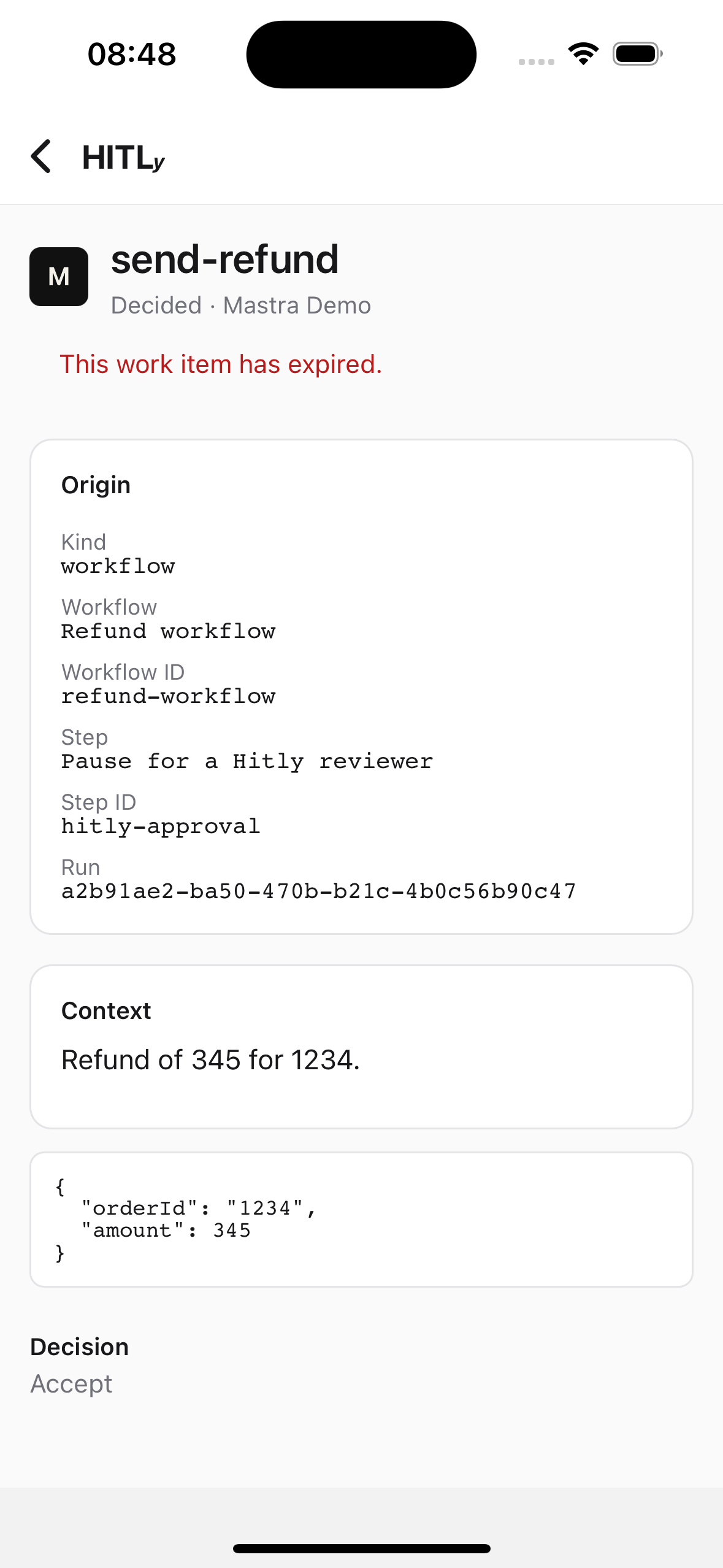
suspend()and POSTs the payload to HITLy. - HITLy stores an envelope and shows it in the inbox.
- A reviewer accepts, edits, or rejects.
- HITLy resumes the origin:
- Workflow —
POST /api/workflows/:workflowId/resume-async?runId= - Agent —
POST /api/agents/:agentId/resume-stream
- Workflow —
- Reject maps to
resumeData.approved: false. Workflows shouldbail(); agent tools should return a rejection result to the model.
See the runnable project in examples/mastra (agent + workflow).
Setup
Clone the monorepo and set up the local HITLy app:
git clone https://github.com/hitly-net/hitly.git
cd hitly
yarn install
cp apps/app/.env.example apps/app/.env.local
yarn db:up
yarn db:migrate
yarn dev:app  # http://localhost:3001
Create a workspace, API key, and Mastra connection (base URL + token).
Set env:
HITLY_API_URL=http://localhost:3001
HITLY_API_KEY=hitly_...
HITLY_PROJECT_ID=prj_...
HITLY_RESUME_SECRET=hitly_resume_...
MASTRA_BASE_URL=http://localhost:4111
Integration guide
- Scaffold a Mastra project (
yarn create mastra) or openexamples/mastra. - In the tool or step
execute, callnotifyHitlyApproval(), thensuspend(). - On resume, call
verifyHitlyResume(resumeData)then readresumeData.approved. Iffalse,bail()(workflow) or return a rejection (agent tool). Mastra Zod strips unknown keys —resumeSchemamust.passthrough()so the HITLyhitlyproof survives. - Run
mastra dev(defaulthttp://localhost:4111) and HITLy app (http://localhost:3001). - Chat with the agent or start the workflow in Studio. Open
http://localhost:3001/inbox, accept, watch the run resume.
Workflow step
import { createStep, createWorkflow } from '@mastra/core/workflows'
import { z } from 'zod'
import { notifyHitlyApproval, verifyHitlyResume } from '@hitly/plugin-mastra'

const approval = createStep({
  id: 'hitly-approval',
  inputSchema: z.object({ orderId: z.string(), amount: z.number() }),
  outputSchema: z.object({ approved: z.boolean() }),
  resumeSchema: z.object({ approved: z.boolean() }).passthrough(),
  suspendSchema: z.object({ reason: z.string() }),
  execute: async ({ inputData, resumeData, suspend, bail, runId }) => {
    if (resumeData) verifyHitlyResume(resumeData, { runId, required: true })
    if (resumeData?.approved === false) {
      return bail({ reason: 'Reviewer rejected the refund.' })
    }
    if (!resumeData?.approved) {
      await notifyHitlyApproval(
        {
          apiUrl: process.env.HITLY_API_URL!,
          apiKey: process.env.HITLY_API_KEY!,
          projectId: process.env.HITLY_PROJECT_ID!,
          mastraBaseUrl: process.env.MASTRA_BASE_URL!,
          workflowId: 'refund-workflow',
          action: { name: 'send-refund', args: inputData },
        },
        {
          runId: String(runId),
          suspendPayload: { reason: `Refund ${inputData.amount} for order ${inputData.orderId}` },
        },
      )
      return await suspend({ reason: 'Human approval required.' })
    }
    return { approved: true }
  },
})
Agent tool
Do not set requireApproval: true if HITLy should see the request. That flag pauses before execute, so notifyHitlyApproval never runs. Suspend inside the tool instead:
import { createTool } from '@mastra/core/tools'
import { z } from 'zod'
import { notifyHitlyApproval, verifyHitlyResume } from '@hitly/plugin-mastra'

export const sendRefundTool = createTool({
  id: 'send-refund',
  description: 'Issue a customer refund after HITLy approval.',
  inputSchema: z.object({ orderId: z.string(), amount: z.number() }),
  resumeSchema: z.object({ approved: z.boolean() }).passthrough(),
  suspendSchema: z.object({ reason: z.string() }),
  execute: async (inputData, context) => {
    const runId = (context as { runId?: string }).runId
    const resumeData = context.agent?.resumeData as { approved?: boolean } | undefined
    if (resumeData) verifyHitlyResume(resumeData, { runId, required: true })
    if (resumeData?.approved === false) {
      return { sent: false, message: 'Reviewer rejected the refund.' }
    }
    if (!resumeData?.approved) {
      await notifyHitlyApproval(
        {
          apiUrl: process.env.HITLY_API_URL!,
          apiKey: process.env.HITLY_API_KEY!,
          projectId: process.env.HITLY_PROJECT_ID!,
          mastraBaseUrl: process.env.MASTRA_BASE_URL!,
          kind: 'agent',
          agentId: 'refund-agent',
          toolCallId: context.agent?.toolCallId,
          action: { name: 'send-refund', args: inputData },
        },
        { runId: String(runId), suspendPayload: { reason: `Refund ${inputData.amount}` } },
      )
      await context.agent?.suspend?.({ reason: 'Human approval required.' })
      return { sent: false, message: 'Waiting for HITLy approval.' }
    }
    return { sent: true, message: 'Refund issued.' }
  },
})
Running locally
yarn workspace @hitly/app dev— HITLy on port 3001.yarn workspace @hitly/example-mastra dev(oryarn dev:mastra) — Studio on 4111.- Chat with Refund Agent or run refund-workflow. Approve in the inbox.
Production
HITLy must reach mastraBaseUrl to call resume(). Do not point a hosted HITLy workspace at localhost. Restrict Mastra CORS and use a token with workflow/agent resume access.
Configuration options
| Option | Use it to |
|---|---|
apiUrl | HITLy app origin, such as http://localhost:3001 |
apiKey | Workspace ingest key |
projectId | Project that owns the API key |
mastraBaseUrl | Origin Mastra server HITLy will call on resume |
kind | workflow (default) or agent |
workflowId / stepId | Workflow resume target |
agentId / toolCallId | Agent resume target |
Evidence Fields (Optional)
For audit and compliance, pass evidence context to notifyHitlyApproval():
| Field | Mastra Fills | Implementor Provides | Description |
|---|---|---|---|
traceId | From OTel context | If no OTel | Distributed trace ID |
spanId | From OTel context | If no OTel | Current span ID |
agentId | For agents | For workflows | Agent/workflow identifier |
systemId | No | Yes | AI system being governed (e.g. "refund-agent-prod") |
inventoryId | No | Yes | This AI system's record in your inventory/registry (Layer 1) |
policyId | No | Yes | Policy that triggered approval |
policyRationale | No | Yes | Why approval is required |
riskTier | No | Yes | Risk level (e.g. "high", "medium", "low") |
toolName | No | Yes | Tool or action name |
sensitivity | No | Yes | Sensitivity flags (not raw PII) |
dataCategories | No | Yes | Data category flags (GDPR/compliance) |
Example with evidence:
await notifyHitlyApproval(
  {
    apiUrl: process.env.HITLY_API_URL!,
    apiKey: process.env.HITLY_API_KEY!,
    projectId: process.env.HITLY_PROJECT_ID!,
    mastraBaseUrl: process.env.MASTRA_BASE_URL!,
    agentId: 'refund-agent',
    action: { name: 'send-refund', args: inputData },

    // Evidence fields
    systemId: 'refund-agent-prod',
    inventoryId: 'ai-inv-refund-agent-v2',  // Your AI inventory record, not orderId
    policyId: 'refund-over-100',
    policyRationale: 'Refunds over $100 require manager approval',
    riskTier: 'medium',
    toolName: 'send_refund',
  },
  { runId: String(runId), suspendPayload: { reason: 'Approval required' } },
)
Evidence events are written to the configured HTTP sink (project settings → Evidence Storage). See Envelope for full details.
Decision mapping
| HITLy | Mastra |
|---|---|
accept | resume({ resumeData: { approved: true } }) |
edit | resume({ resumeData: { approved: true, ...editedArgs } }) |
reject | resume({ resumeData: { approved: false } }) then bail() (workflow) or a rejection tool result (agent) |
respond | resume({ resumeData: { approved: true, response } }) |
ignore | no resume (approval closed) |
cancel | no resume (Force cancel — origin is no longer suspended) |